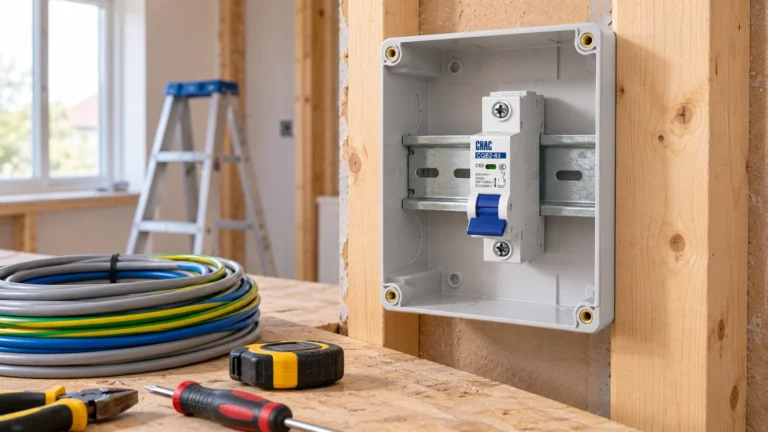
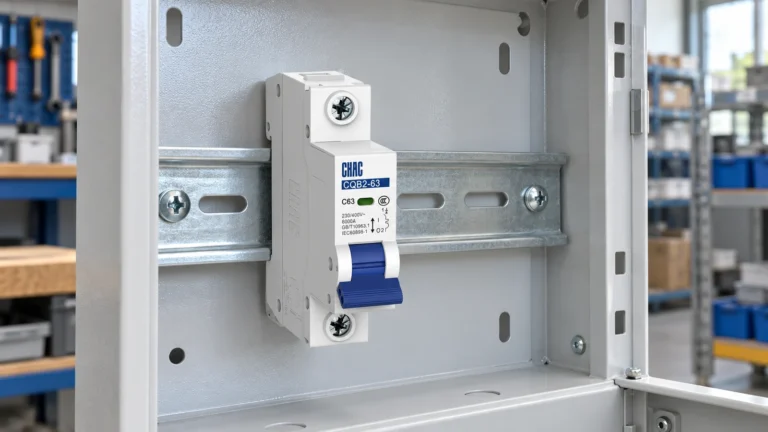
Un MCB symbol identifies a miniature circuit breaker on an electrical drawing. It does not, by itself, tell an installer the current rating, trip curve, number of protected poles or approved replacement. Read the graphic alongside the drawing legend and device schedule. That combination is more useful than copying an isolated icon from an image search, particularly when a project uses both single-line and detailed wiring drawings.

Start with the drawing legend and symbol library
Check which drafting convention the project uses before interpreting the symbol. IEC-based and North American drawings can represent breakers differently, and CAD libraries may simplify the same function in different views. Autodesk’s IEC-60617 library, for example, distinguishes first-pole and additional-pole circuit-breaker symbols as well as one-line components. This is a reason to use the approved library, rather than a reason to treat every similar-looking graphic as interchangeable.
A breaker, fuse and isolating switch can all interrupt a circuit, but they are different devices. Confirm that the selected symbol communicates automatic overcurrent protection. If the drawing is too compressed to show every function, put the missing information in the schedule and reference it clearly from the device tag.
Show pole count without drawing a different protection function
On a single-line diagram, one drawn line can represent a multiphase circuit. It does not mean that the installed breaker has one pole. Show the required pole arrangement through the project’s notation and schedule, and identify whether the neutral is continuous, switched or protected. A 1P+N device should not silently become a two-protected-pole device when the drawing is simplified.
Common trip and mechanical linkage also need clear treatment. A handle drawn across several poles does not prove that three independent breakers provide the required common-trip function. Check the actual device construction and use the library’s approved representation of the relationship.
Keep the device tag consistent from diagram to panel
Give each breaker a unique project tag and use it consistently in the one-line diagram, wiring drawing, panel layout and bill of materials. A label such as QF1 is only an identifier chosen under the project convention; it is not a product approval or a universal substitute for a catalogue number. The schedule should connect that tag to the exact device and circuit.
For a product review, the CQB2-63 miniature circuit breaker page and CHAC’s MCB range provide starting points for model information. Transfer only the verified ratings and configuration of the selected variant into the drawing. A generic family photograph cannot establish the pole arrangement of an ordered device.

Separate handle markings from the circuit’s safe state
ON, OFF and trip indications describe aspects of the device’s operation. They do not prove that the whole circuit is de-energized: another supply, a UPS or a connected energy source may still be present. A drawing should identify relevant sources and isolation boundaries instead of relying on a handle-position graphic as a safety instruction.
Utilisez le circuit breaker schedule to record the verification information the installer needs. That includes the supply arrangement, device reference, ratings, conductor details and any special neutral or isolation requirement. Keep the safety procedure in the installation documentation rather than trying to encode it in one tiny symbol.
Review revisions before releasing the drawing
A useful final check follows one tag through all the documents. Does the pole count match the bill of materials? Does the curve match the selected breaker? Does the diagram show every source that can energize the circuit? Are retired symbols and obsolete catalogue numbers still present in copied blocks? These checks catch practical errors that a visually tidy drawing can hide.
For the neutral and pole decision behind the graphic, see how DPN and 1P+N breakers are identified. Keep the approved drawing revision with the panel so a later replacement can be checked against the original design, rather than selected by appearance.
What belongs beside the symbol or in its schedule?
| Item | What to record | Why it matters |
|---|---|---|
| Device tag | Unique drawing reference and catalogue number | Connects the graphic to the installed device |
| Pole arrangement | Protected poles, switched neutral and common trip | Prevents an incorrect substitution |
| Electrical ratings | Current, voltage, curve and breaking capacity | Supports the circuit design review |
| Revision | Approved drawing and schedule revision | Keeps later replacements traceable |
Foire aux questions
What is the symbol for an MCB?
It is the approved circuit-breaker graphic used by the drawing’s symbol library, identifying automatic overcurrent interruption. Read it with the legend and device schedule; an icon alone does not establish current rating, pole construction or suitability.
Comment un disjoncteur miniature (MCB) doit-il apparaître sur un schéma unifilaire ?
Montrez le dispositif de protection sur le départ, identifiez les pôles et étiquetez-le sur un tableau. Ajoutez les calibres et la courbe lorsqu'ils affectent la sélectivité.
Les marquages ON et OFF figurent-ils sur un schéma ?
Ils sont utiles sur les schémas de câblage et de tableaux, mais un schéma unifilaire peut utiliser à la place une note sur l'état de commutation. Maintenez une représentation cohérente d'un document à l'autre.
Pourquoi montrer la courbe sur un dessin ?
La courbe aide les examinateurs à vérifier les hypothèses de discrimination et d'enclenchement. Elle doit correspondre au modèle sélectionné et à l'étude de coordination.
What are IEC standard symbols?
They are standardized graphical representations used to communicate electrical functions consistently. IEC 60617 covers diagram symbols. The project must still state which library and drawing convention it uses, and the device schedule supplies model-specific information.
Références
- Autodesk AutoCAD Electrical 2026: IEC-60617 symbol preview
- Schneider Electric Electrical Installation Guide: protective-device selection
For a model-specific review, contacter CHAC Electric with the circuit diagram, supply voltage, load details and destination-market requirements.