An MPCB auxiliary contact should be specified as a panel-signal interface, not assumed from a motor-protector family name. The drawing needs to identify the status or control signal required, the contact state, the intended interface, and the selected device/accessory evidence. That information lets a supplier review the request without converting an undefined panel function into a generic product claim.
Índice
Part 1. What job does an MPCB auxiliary contact support?
An auxiliary contact can provide a status or control interface associated with a motor-protection circuit-breaker arrangement when the selected device and accessory documentation support the requested function. It is therefore a panel-interface question, not a substitute for the main protection decision.
Start by naming the information the panel needs to exchange. Examples may include a state indication, an interlock input, or a signal to another control element, but the final function must be written against the chosen design rather than inferred from a generic accessory description.
Part 2. Which panel signal should be defined before sourcing?
Write the required signal in terms the drawing team can verify: what event is reported, where the signal goes, and what should happen when the stated condition changes. This separates a useful status requirement from a vague request for “an auxiliary contact.”
The request should also show whether the signal is for indication, logic, or an interface to another panel component. Those are different application questions, and each needs the selected model and the project control design to be checked.
| Signal question | Why the answer matters | No asumir |
|---|---|---|
| What condition is reported? | Defines the information needed by the panel | A generic accessory supplies every signal |
| Where does the signal go? | Identifies the interface to review | Another device uses the same terminals |
| What action follows? | Connects the signal to the control design | A status indication is a safety function |
| Which device is proposed? | Links the request to documentation | Every MPCB variant accepts the same accessory |
Part 3. How should the contact state be written on the drawing?
Describe the required contact state and the condition it represents in the drawing notes. A simple “auxiliary contact required” label leaves the supplier and panel builder to guess whether the intended signal is normally open, normally closed, or tied to a particular device state.
Terminal identification belongs with that request. The selected documentation should be used to confirm the actual terminal designations and any conditions that apply to the proposed accessory; do not copy terminal numbers from an unrelated product family.
Important: A status contact and a safety function are not interchangeable descriptions. Keep the required panel function, selected accessory documentation, and project control review aligned before the drawing is released. (Resumen del desarrollo de normas de la CEI)
Part 4. What must be checked at the control interface?
The control-interface review should include the destination device, signal logic, available control supply, terminal access, and the documentation needed for the selected arrangement. That review prevents an accessory request from becoming disconnected from the rest of the panel design.
At this stage, avoid representing an interface as confirmed solely because the product family has a matching mechanical form. The panel drawing, selected model, and accessory documents must agree before the interface is released for build.
| Interface input | ¿Por qué cambia la reseña? | Pruebas para solicitar |
|---|---|---|
| Required signal and logic | Defines the contact function | Control schematic |
| Contact state | Identifies the requested behavior | Drawing note and selected documentation |
| Destination device | Defines the interface boundary | I/O or control schedule |
| Terminal and assembly constraints | Checks the proposed installation | Device/accessory documentation |
Part 5. Which details belong in the RFQ?
The RFQ should identify the motor-protection device, required signal, contact state, control-interface destination, drawing revision, installation constraints, documentation request, and any project requirements that affect the panel build. This is enough context for a supplier to say which questions still need selected-model evidence.
Ask for documentation that addresses the proposed device and accessory combination. If the exact contact function, terminal information, or compatibility is not documented for the stated configuration, keep it as an open technical item rather than assuming the accessory is included.
| El comprador debe proporcionar | Por qué importa | Enviar con cotización |
|---|---|---|
| Proposed MPCB and signal purpose | Defines the product and function review | Device reference and panel notes |
| Contact state and logic | Makes the requested interface explicit | Control schematic |
| Destination and control context | Identifies the panel boundary | I/O schedule |
| Installation and assembly constraints | Checks the proposed arrangement | Layout or enclosure information |
| Solicitud de documentación | Makes the supplier response auditable | Selected-model and accessory documents |
For adjacent motor-protection context, read the MPCB versus MCCB boundary guide y el motor protection breaker and contactor coordination guide. Neither article confirms an auxiliary-contact configuration for an unreviewed device.
Part 6. Where is the fit boundary for an auxiliary-contact request?
This article supports the early drawing and RFQ stage. It is not a safety-function design, a final wiring method, a local-code interpretation, or a field-modification procedure.
If the panel function or selected device/accessory data is incomplete, stop at the evidence gap. The right next step is to obtain the relevant project information and selected-model documentation before the accessory is approved for the panel.
Part 7. Which CHAC route starts the product discussion?
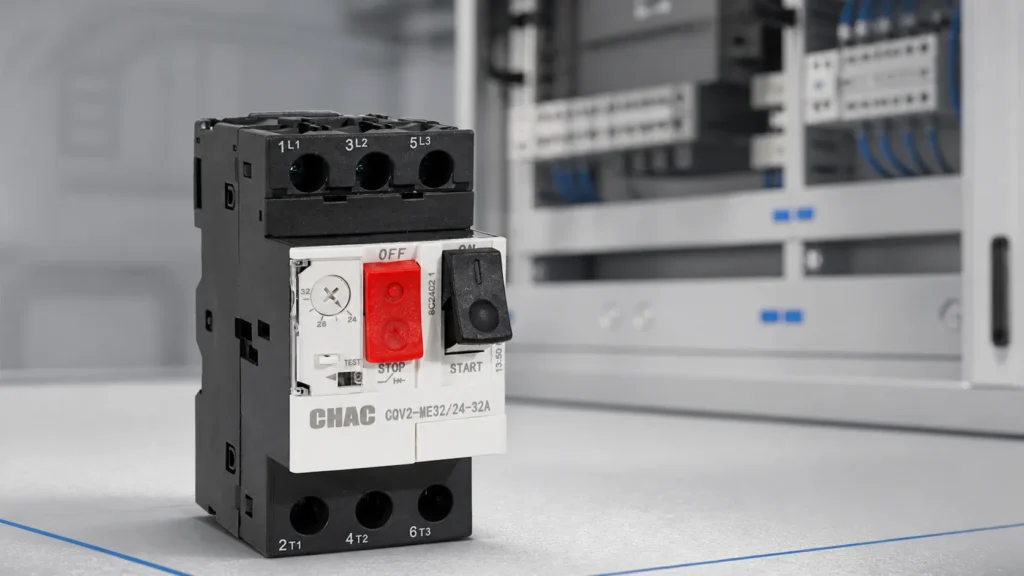
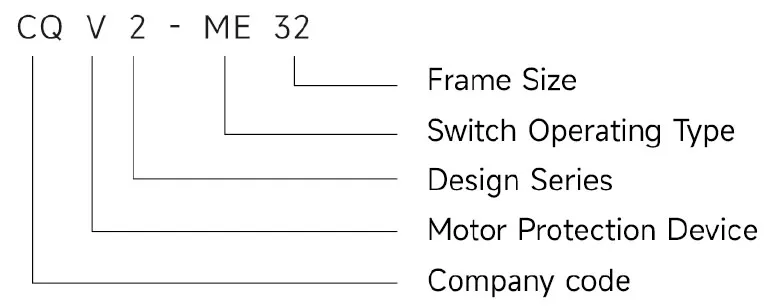
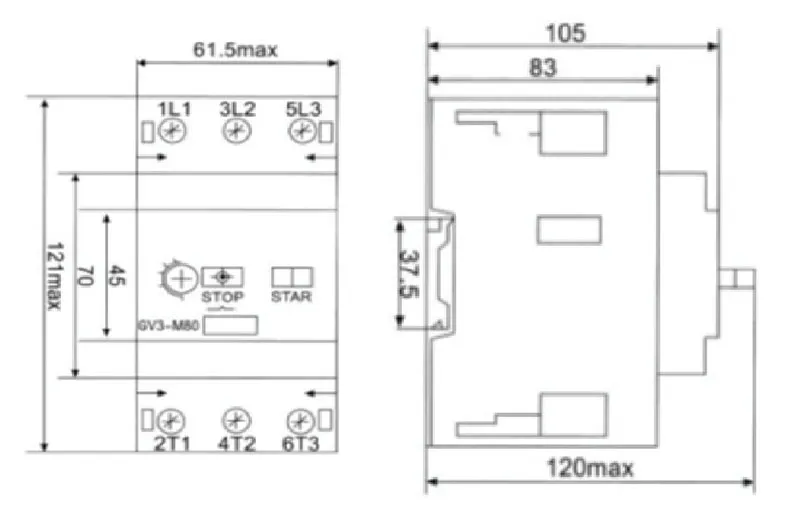
Begin with the motor-protector category once the signal requirement is documented. The CHAC CQV2 motor protection circuit breaker product page provides the first-party product route for a selected-model discussion, not confirmation that a particular auxiliary contact is supplied or suitable.
Recomendación de producto
CQV2 Series Motor Protection Circuit Breaker | CHAC Electric

After the RFQ records the device, signal purpose, contact state, control interface, drawing, and documentation request, use personalización de control industrial o Contactar a CHAC Electric for the product-document review. Do not substitute a generic contactor accessory or an unverified motor protector for the selected device/accessory check.
How should an MPCB signal be separated from a trip command?
Un MPCB auxiliary contact is normally specified as an information or control interface associated with the selected device. It should not be treated as proof that the motor circuit is de-energized. A motor protection Disjuntor arrangement may also need a separate alarm contact or shunt trip, depending on whether the panel must report a state, report a trip event, or issue a remote opening command.
| Requested function | What the panel needs to know | Pruebas para solicitar |
|---|---|---|
| Auxiliary status | Which device state is represented? | Contact diagram and terminal data |
| Alarm indication | Which abnormal event changes the contact? | Event definition and reset behaviour |
| Remote trip | What command circuit opens the device? | Shunt-trip wiring and control rating |
The practical selection point is the breaker status signal, not the accessory name. Compare the exact model, accessory combination, contact state, control voltage and destination input. CHAC’s CQV2 motor protection circuit breaker page can start the model review, while the panel drawing must confirm the final interface.
Can an auxiliary contact prove that a motor circuit is safe to touch?
No. It reports the state defined by the selected accessory and control design. Apply the project’s isolation and absence-of-voltage procedure separately.
Are an auxiliary contact, alarm contact and shunt trip interchangeable?
No. They can represent status, an abnormal trip event or a remote opening command. Confirm the exact function and terminal arrangement for the proposed model and accessory.
Preguntas frecuentes
What does an auxiliary contact do on an MPCB?
It can support a documented status or control interface associated with the selected motor-protection arrangement.
Is an auxiliary contact included with every MPCB?
Do not assume it is included. Confirm the selected device and accessory documentation for the proposed configuration.
Which signal should be written on the drawing?
State the event to be reported, where the signal goes, and the action or indication the panel requires.
How should NO and NC be requested?
Write the required contact state and the condition it represents, then confirm terminal details in the selected documentation.
What belongs in the RFQ?
Provide the proposed device, signal purpose, contact state, control interface, drawing revision, installation constraints, and documentation request.
What is outside this article?
It does not replace safety-function design, final wiring instructions, local approval, or selected-model accessory verification.