MCCB frame size is not a substitute for the rated-current and circuit information required for a quote. A reliable RFQ keeps the drawing, circuit role, pole count, system voltage, requested rating information, and selected-model documents together before a supplier response is compared.
Contents
Part 1. Separate the frame reference from the circuit requirement
An MCCB frame reference helps identify a product family or physical range. It does not, by itself, state the rated current needed for a specific circuit or prove that the proposed breaker meets the project requirement. Treat the frame and rating as distinct fields in the drawing and the RFQ.
The panel record should make the circuit role clear first. Then add the current requirement, poles, system voltage, and selected-device documentation required for a technically comparable quotation. That sequence keeps a family label from being mistaken for a completed selection.
Part 2. What rated current adds to an MCCB review
Rated current is one of the fields that connects the breaker request to the circuit requirement. It must be reviewed with the selected model, circuit role, pole count, system voltage, applicable project requirements, and the product documentation requested for the quote.
Frame size and rated current can appear close together in a catalogue, but they answer different questions in an RFQ. A supplier needs enough circuit information to state what model is being proposed and what evidence supports the proposal; a buyer needs the same information to compare responses fairly.
Important: Do not approve an MCCB from a frame label, enclosure appearance, or a generic family range. Confirm the circuit requirement and selected-model documents before the breaker is placed on the final BOM. (IEC switchgear and controlgear document catalog — selected-device record context)
Part 3. Compare the data behind a frame and rating request
The most useful comparison table distinguishes what each field contributes to the review. It does not calculate a rating or confirm coordination for a project.
| Review field | What it identifies | What still requires confirmation |
|---|---|---|
| Frame reference | Product-family or frame information being requested | Exact proposed model and its documented scope |
| Rated current requirement | Circuit field to be matched in the quote | Suitability with the circuit and project requirements |
| Pole count | Device arrangement to compare with the drawing | Selected-model pole information |
| System voltage | Electrical context stated by the panel record | Published model fields and project conditions |
| Circuit role | Why the breaker is being considered | Protection study and final engineering decision |
Comparing quotations on these fields prevents a simple frame reference from hiding missing information. Ask each supplier to identify the proposed model and the source documents used to compare its stated fields with the RFQ.
Part 4. Place the drawing details beside the quotation fields
The drawing revision is the shared record that shows the circuit role and makes the requested rating meaningful. Add the required current, pole count, system voltage, installation context, and requested technical documents next to the frame reference rather than scattering them between a BOM and emails.
| Evidence to provide | Why it matters to the quote | Response to compare |
|---|---|---|
| Current drawing and revision | Identifies the circuit role and scope | Proposed model tied to the same drawing |
| Frame reference and current requirement | Separates family reference from requested circuit field | Model identification and published rating evidence |
| Pole count and system voltage | Defines fields to review with the circuit | Selected-model product documentation |
| Installation context | Flags conditions needing confirmation | Stated limits and installation information |
| Evidence request | Makes technical returns comparable | Requested document pack for the proposal |
For a trip-approach question, use the related thermal-magnetic versus electronic MCCB selection article. For a broader procurement perspective, the MCCB buying guide for OEM and distributor buyers provides related context without replacing the frame-and-rating review.
Part 5. Ask suppliers for a comparable MCCB response
An RFQ should request a response that can be checked line by line. Name the proposed model, ask for the selected-model record, and keep the buyer’s circuit fields visible in the same request. This is more useful than requesting “an MCCB of this frame” without describing the rating or circuit evidence.
| Include with the RFQ | What it resolves | Supplier response to ask for |
|---|---|---|
| Panel drawing and circuit role | Why the breaker is being quoted | Proposed model identified to the drawing |
| Frame reference and current requirement | Separate fields that must not be collapsed | Published selected-model fields |
| Pole count and system voltage | Device and supply information to review | Model-specific documentation |
| Installation context | Conditions that require confirmation | Stated limits and applicable records |
| Required evidence pack | A comparable technical return | Product identification and requested documents |
Use the MCCB category as the upward product-family context, and keep the electrical distribution equipment range available for related component navigation. Feeder-scope decisions stay separate, as explained in the ACB versus MCCB feeder protection scope article.
Part 6. Use the CHAC MCCB route after the RFQ is complete
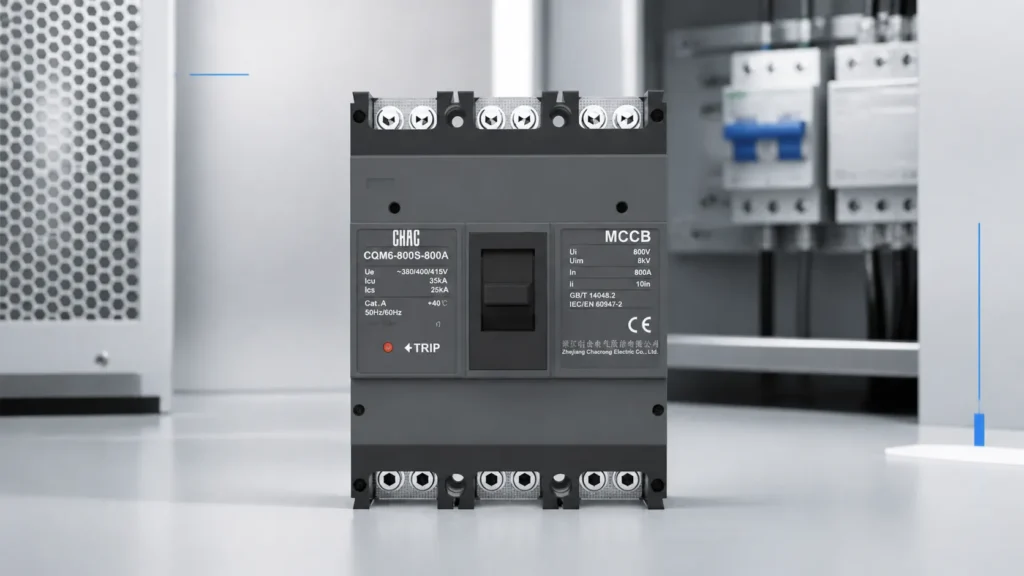
The CQM6 MCCB product route publicly lists 10A–1250A, 2P/3P/4P, 400/415V AC, and IEC/EN 60947-series references. Use these published fields as a first-party route for selected-model discussion after the RFQ has described the circuit evidence; they do not provide a frame-sizing calculation or establish project suitability.
Product recommendation
CQM6 Standard Molded Case Circuit Breaker (MCCB) OEM Manufacturer | CHAC Electric

Use this CQM6 MCCB product route when the RFQ has separated the frame reference from the current requirement and requested the supporting records. Do not substitute an image-only or generic family match: appearance cannot establish the required rating, poles, voltage, trip information, or project fit. OEM or documentation requirements can be raised through the power-distribution customization page.
Part 7. Keep frame-and-rating review inside its fit boundary
This article supports early RFQ preparation and supplier-document comparison. It is not field-installation guidance, a final breaker-setting instruction, a short-circuit or coordination study, local rule interpretation, or an approval of a specific MCCB for a named project.
Fit Boundary: retain final MCCB selection with the approved drawing, circuit requirements, selected-model documents, applicable project requirements, and qualified engineering review. Send the RFQ evidence and document request to CHAC Electric when requesting a product route.
Why should frame size and rated current be separate RFQ fields?
MCCB frame size describes the platform boundary; it does not by itself state the continuous current setting or short-circuit performance. The MCCB rated current, trip-unit settings, working voltage, pole arrangement and accessories must be matched to the feeder and the assembly design.
| Field | What it answers | Common mistake |
|---|---|---|
| Frame | Which physical platform can host the device? | Assuming a larger frame is automatically a better fit |
| In or Ir | What continuous or adjustable current is required? | Using frame name as the current setting |
| Icu/Ics and voltage | What fault duty can the selected configuration address? | Comparing amperes without voltage and test scope |
Specify MCCB breaking capacity with the prospective fault current and system voltage. CHAC’s CQM6 MCCB page and CQM6E electronic MCCB page are separate model routes and should not be treated as one rating table.
Does a larger MCCB frame provide a higher breaking capacity?
Not automatically. Breaking capacity depends on the exact configuration, voltage, test scope and declared ratings.
Should rated current be the same as the frame current?
No. A frame can host devices or trip settings with different continuous-current values. Confirm the exact In, Ir and accessory configuration.
For a related selection reference, see What Should an MCCB RFQ.
Continue with this related guide: Voltage Protector Keeps Tripping How.
FAQs
What is MCCB frame size?
Frame size is a product-family or frame reference used in a breaker review. It must be read with the selected-model documentation and the circuit information in the RFQ.
Is frame size the same as rated current?
No. Rated current is a separate circuit-related field that must be stated and reviewed rather than inferred from a frame reference alone.
Can an MCCB be selected from frame size alone?
No. The circuit role, required current, pole count, system voltage, project conditions, and selected-model evidence also need review.
What data should be given for an MCCB quotation?
Provide the current drawing revision, circuit role, frame reference, current requirement, poles, system voltage, installation context, and the documents required for the proposed model.
Do pole count and system voltage matter in an MCCB RFQ?
Yes. They are fields that connect the requested breaker route to the panel record and should be returned with selected-model documentation.
Who confirms final MCCB suitability?
The responsible project engineering review should confirm final suitability using the approved drawing, applicable requirements, and selected-model documentation.